MoaDuck, the YouTube analytics dashboard for all your channels
See the stats from all your YouTube channels on one screen and make the next video better.
Pricing
You can start for free. For paid plans, contact us on KakaoTalk or Telegram.
Free
For trying it out with up to two channels
- 2 channels
- Views and new videos refreshed every 60 min
- Data kept for 90 days
Plus
For creators running several channels
- 5 channels
- Views and new videos refreshed every 10 min
- Data kept for 1 year
- AI report 1× a month (coming soon)
Pro
For marketers and small agencies managing channels for several creators
- 10 channels
- Views and new videos refreshed every 5 min
- Data kept indefinitely
- Split by creator (for agencies)
- AI report 1× a month (coming soon)
Features
The pictures below are real MoaDuck screens. Some numbers have been replaced with examples.
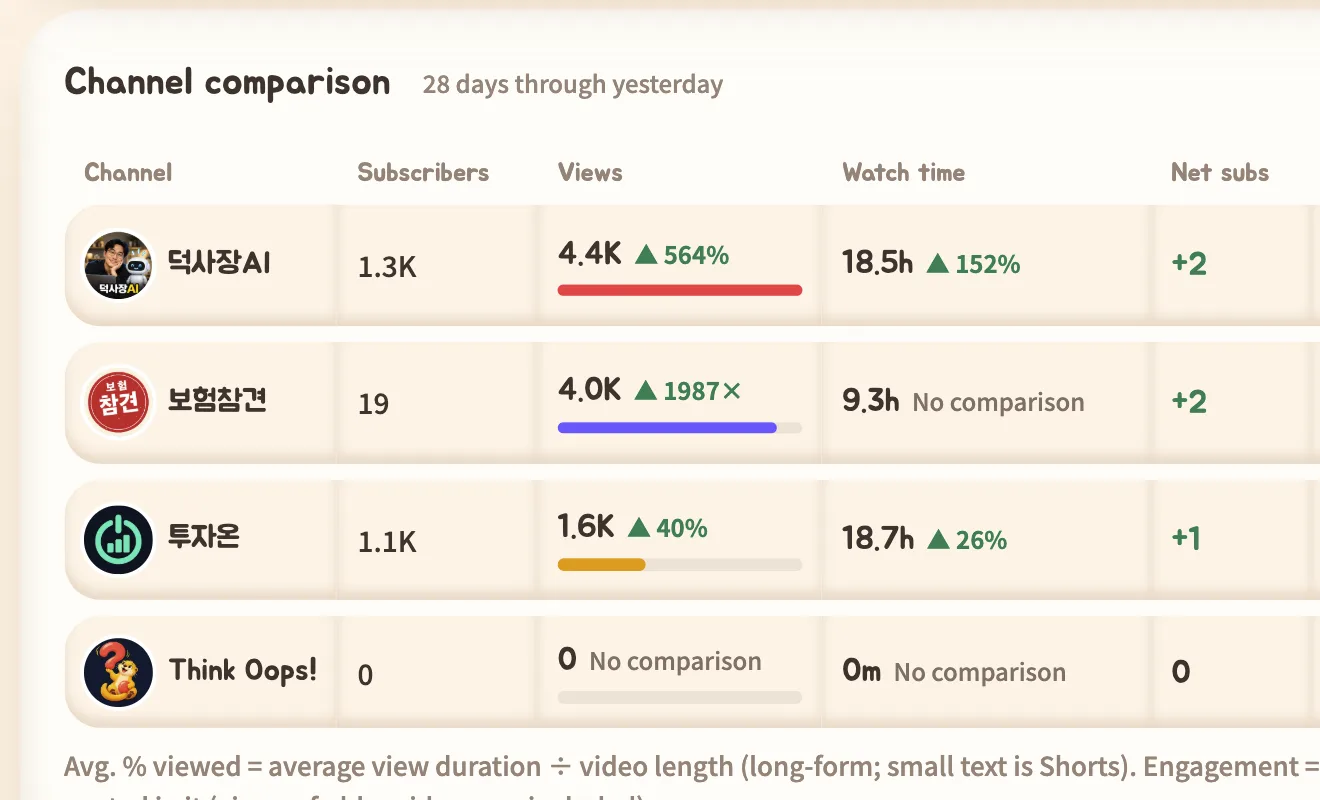
Compare channels
Compare views, watch time, net subscribers, average percentage viewed and engagement rate for every channel in one table, with the change from the previous period.
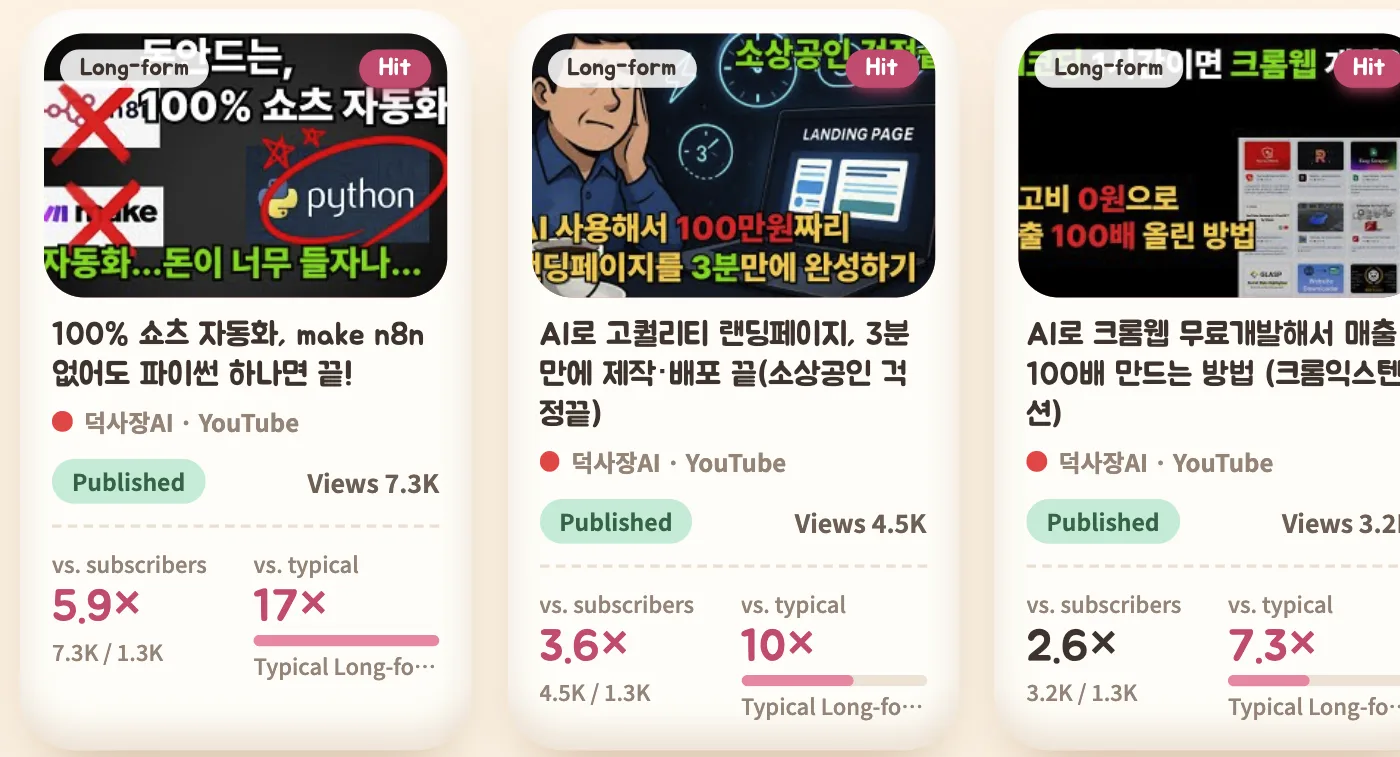
Find videos that beat your usual
Each video is scored against the channel's typical views, Shorts against Shorts and long-form against long-form, so real hits stand out.
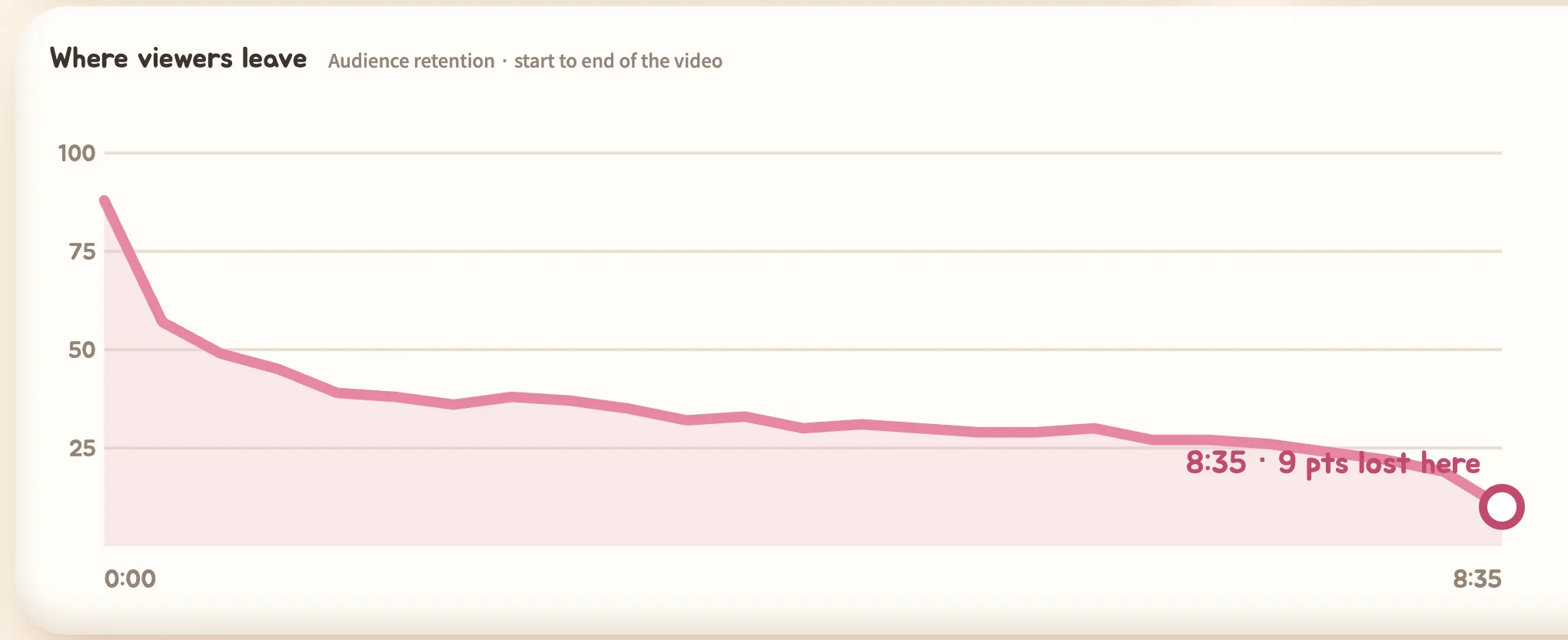
Per-video analysis
For each video see where viewers came from (traffic sources), what they searched for (search terms) and where they left (audience retention curve).
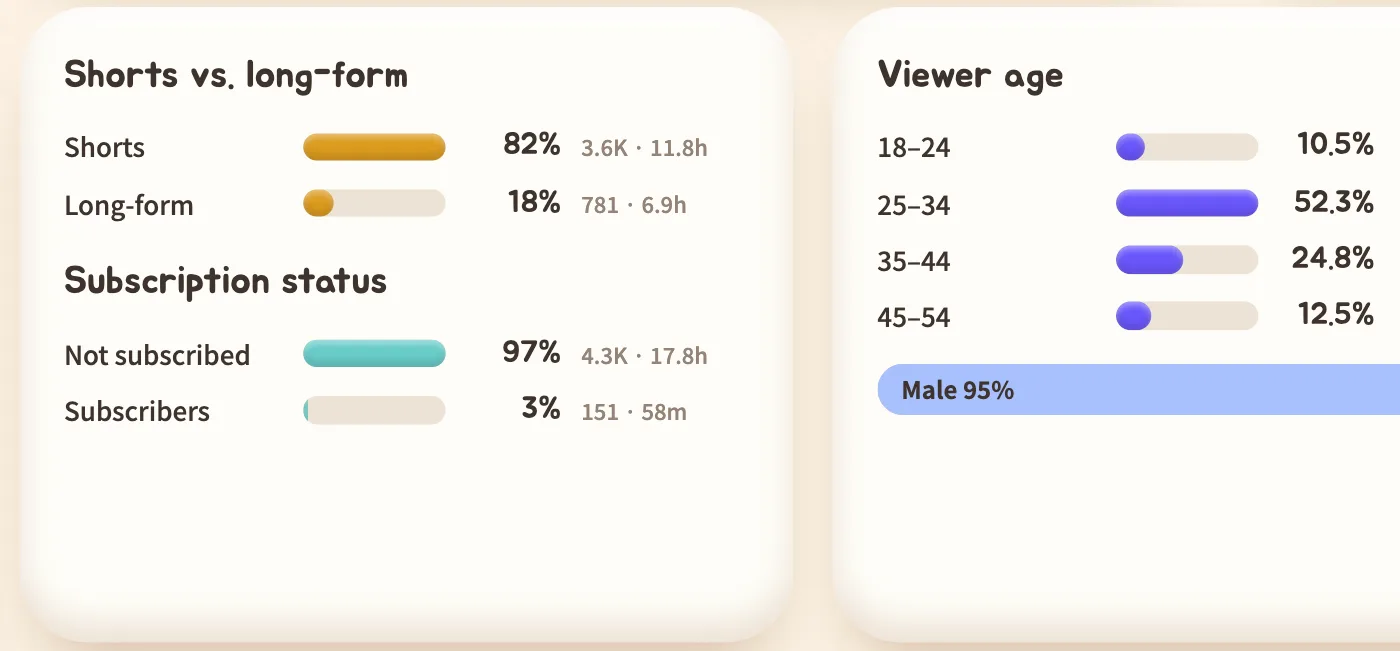
Audience insights
Viewer age and gender, country, device, subscription status and the Shorts versus long-form split over 7, 28 or 90 days.
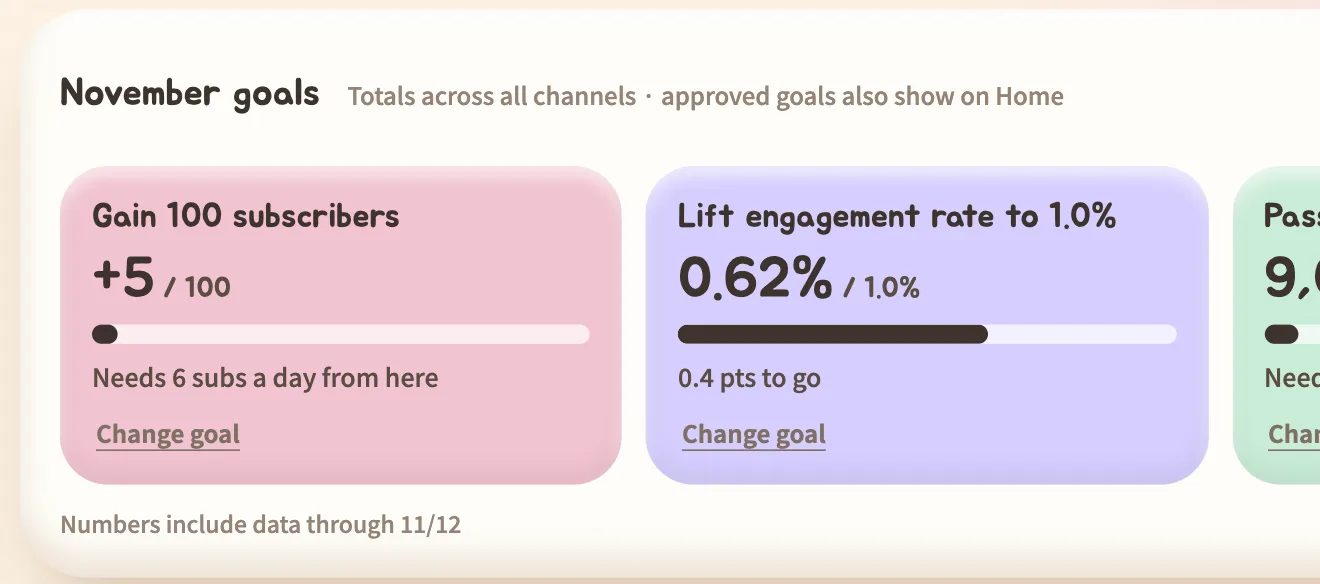
Monthly goals
Get subscriber, view, engagement and upload goals suggested from your recent pace, then follow progress and days left every day.
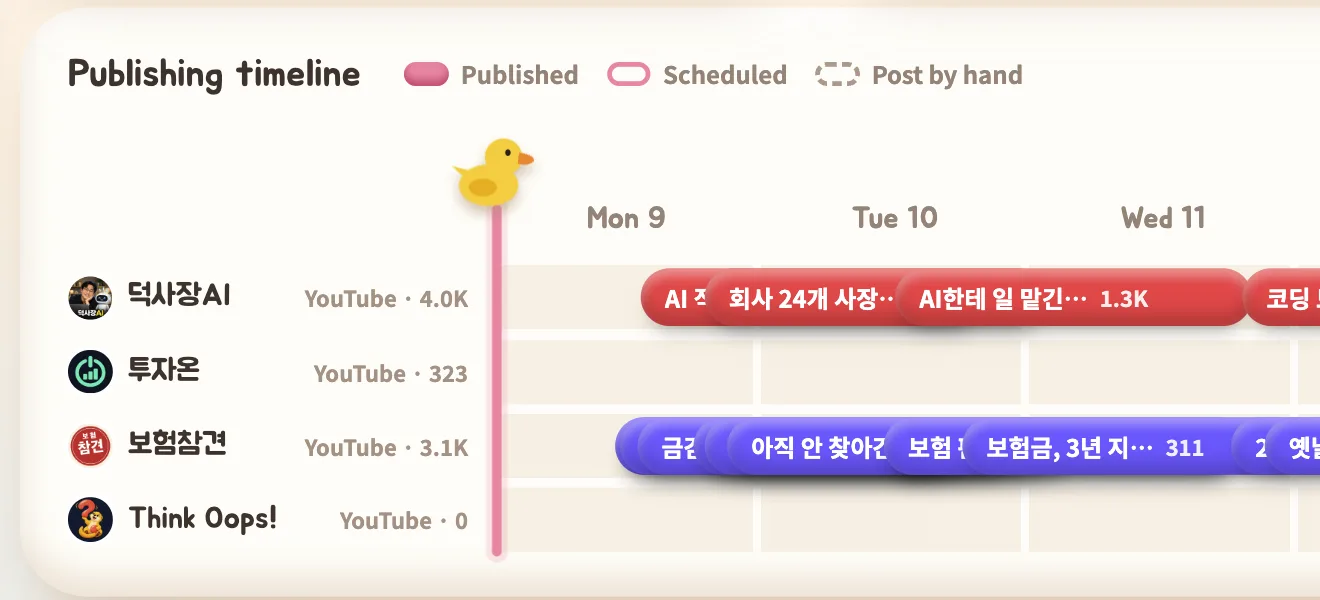
Publishing timeline and schedule
See this week's published and scheduled videos per channel on a timeline, including the days with nothing planned.
Split by creator (for agencies)
If you manage channels for several creators, group them by creator and view one creator's channels, numbers and goals on their own. Available on Pro and Unlimited.
Idea memos
Jot down ideas from any screen while looking at the numbers and jump back to where you wrote them.
AI reportComing soon
A report that turns patterns in your best videos into hypotheses and suggests experiments for the next one.
What MoaDuck does
MoaDuck is a channel analytics tool that brings together views, subscribers, watch time, traffic sources and search terms. It only reads statistics and never posts to or changes your channel.
- Access tokens encrypted with AES-256
- Read-only access
- No passwords stored
If you run several YouTube channels, you have to open YouTube Studio for each one to check the numbers. MoaDuck gathers the stats of every connected channel in one place and shows which channel is growing, which videos beat your usual, and where viewers come from and where they leave. Compare Shorts and long-form separately, set monthly goals and follow progress every day.
Built for YouTube creators, solo businesses running several channels, and marketers and agencies who manage channels for others.
MoaDuck is made by 덕사장AI, who built it while running their own YouTube channels.
Kept safe
Your channel statistics are valuable business data. MoaDuck stores access tokens encrypted, uses read-only permission and keeps each member's data separate.
Access tokens are stored encrypted
The channel access tokens issued by Google are encrypted with AES-256 before they are stored. The encryption key is kept separately from the database.
Everything travels over encrypted connections
All traffic between your browser and MoaDuck, and between MoaDuck, Google and the database, uses encrypted connections (HTTPS/TLS) only.
Read-only, and no passwords stored
MoaDuck only receives permission to read statistics, so it cannot upload to or change your channel. You sign in with Google, so MoaDuck never receives or stores a password.
Your data is yours alone, and deletable anytime
Data is separated per member and visible only to you. Disconnecting a channel or deleting your account removes the data and revokes access at Google. It is never used for ads or sold.
How to get started
Sign up with Google
Only your name and email are used. There is no password to create.
Connect a YouTube channel
Only read access to statistics is requested. MoaDuck never uploads to or changes your channel.
See it on one screen
Recent videos and stats are fetched right after connecting. Add more channels to compare them side by side.
Bring your channels together
Start free with GoogleFrequently asked questions
What is MoaDuck?
MoaDuck is an analytics dashboard for YouTube channels. Creators who run several channels can compare views, subscribers and watch time on one screen and analyze each video without opening YouTube Studio channel by channel.
How is it different from YouTube Studio?
YouTube Studio shows one channel at a time. MoaDuck compares channels in one table, scores each video against the channel's typical views to surface hits, and tracks monthly goals alongside the numbers.
Does it affect my channel?
No. MoaDuck only reads statistics. It does not ask for permission to upload, delete or change anything on your channel.
Is my data safe?
Channel access tokens issued by Google are encrypted with AES-256 before storage, and all traffic uses encrypted connections (HTTPS). Only permission to read statistics is requested, and no password is ever received or stored. Data is separated per member and visible only to you.
What data does it read?
Channel info (name, subscriber count), the video list, per-video views, likes and comments, and channel analytics (watch time, traffic sources, search terms, viewer age, gender, country and device). Impressions and impression click-through rate are not available because YouTube does not expose them.
Is it free?
Yes. Up to two channels are free. Paid plans add more channels and more frequent updates.
Can agencies and marketers use it?
Yes. On Pro and Unlimited you can group channels by creator (client). Pick a creator in the left menu and Home, Performance, Content and monthly goals switch to that creator's channels. For the Unlimited plan with no channel cap, contact us.
What happens to my data if I disconnect or leave?
Disconnecting a channel deletes its stats and access. Deleting your account removes your profile and all data and revokes access at Google.